
Showing posts with label Educational technology. Show all posts

Monday, November 21, 2016

Podcast Learning

                      Image result for podcast
I would like to use a podcast episode called ‘Chinese Grammar Summary’ from ‘Melnyks Chinese Podcast’ in my own teaching in the future. At first, I would like to say that I like ‘Melnyks’ Chinese Podcast’ very much, because a) This site offers theme-based, progressive lessons, so learners will be able to speak fluent Mandarin Chinese on the variety of topics; 2) Each lesson builds on the one before it, so it provides series of lessons that learners would follow for long-run learning; 3) There are also transcripts and worksheets provided, so learners would download them for future studying.
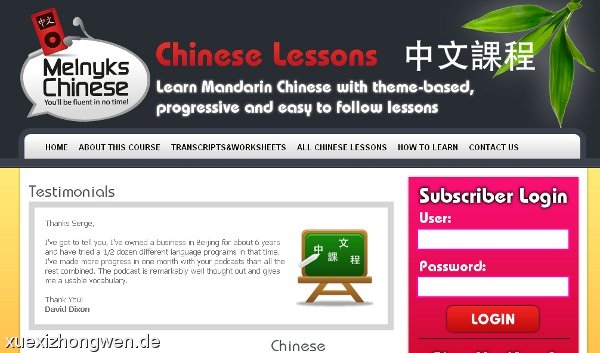
                     
Image result for melnyks chinese podcast
 
Next, since my students are beginning level Chinese learners, so the learning objectives for them are as follow:

·        Students will be able to recognize and understand the meaning of targeted grammatical structures in spoken form;

·        Students will be able to use targeted grammatical structures meaningfully and appropriately in oral production.

Thus, I choose this specific ‘Chinese Grammar Summary’ to help me meet these learning objectives. This 7 minutes long podcast includes 5 important continuous tense phrases that being used most frequently in daily conversation, it provides very specific explanation of each single phrases, for example,


1.     Chinese pronunciation;

2.     English translation of this word;

3.     Chinese synonyms of this word;

4.     Example sentences;

5.     Example conversation within context.

So we can see that the explanation gives very detailed instruction of how to understand this word and how to use it in sentences under relevant context later, thus, with this step-by-step teaching method, when learners get to practice themselves, they will be able to target the phrases among sentences and also use them in appropriately context. This podcast is the best teaching tool I found so far, it’s very helpful and I call it ‘half the work with double results’, I’m so excited that I have so much more helpful Chinese teaching lessons to follow and hope with the help of it more and more people will be interested in learning Chinese!

Monday, November 7, 2016

Happy Giraffe~

Image result for happy giraffe storybird

I’m really impressed by the lovely story backgrounds of Storybird, so I did my comic strips with it. I can’t believe technology develops so fast that we have so many interesting sites to use for teaching demonstration, it’s not the time we only know Powerpoint anymore, we can create photo stories and comic strips by ourselves now, it’s so exciting! The comic strips I made today called Happy Giraffe, it is about how a little giraffe overcome all the difficulties and decide to pursue her dream, the story is in both English and Chinese, it is a Chinese lesson, but I also provided English translation in case learners are confused with some vocabulary. I hope my students are able to create lessons like this for me in the future, and the performance indicators my students could demonstrate by creating their own comic strips are as follow:


Performance Indicator – LOTE.ML.1.2.B.A: Students can read and comprehend materials written for native speakers when the topic and language are familiar.


Performance Indicator – LOTE.ML.1.2.B.B: Students can use cognates and contextual and visual cues to derive meaning from texts that contain unfamiliar words, expressions, and structures.


Performance Indicator – LOTE.ML.1.2.B.E: Students can write brief analyses of more complex content when gives the opportunity for organization and advance preparation, though errors may occur more frequently.


How I would assess their creations.

If I ask my students to create similar lessons like what I created, I will use these rules:


l  Whether the story follows a storyline or the plot is logic;

l  Use of the correct grammar and vocabulary

l  Whether they have quote from other articles or books, use quotation marks or not.


Overall, I like Storybird the most since students could create more elaborated work with applying it, and the pictures choices for making stories are ample, so it have a lot of space for users to think and create at the same time.
 
Image result for happy giraffe storybird


Sunday, November 6, 2016

Learning with Animoto


Image result for animoto
This week, I explored a new educational technology called Animoto, which allows users to make photo stories with putting their photos or videos in an album-like place with playing them together one by one. It's a great way of introducing language learners vocabulary or phrases or expressions of target language in a visual way, so they have much more first-sight information stored in their memory than just seeing those words in textbooks. So for my photo story, I chose to do a fashion vocabulary lesson with 10 Chinese words that appeared the most frequently in a Chinese fashion magazine, they are all fundamental words, and all very easy to learn with the help of this photo show called Want to be a Be*You*Tiful girl? Learnthese words~~


Performance Indicators my students could demonstrate by creating their own photo shows


Performance Indicator – LOTE.ML. 1.2.A.A: Students can understand the main idea
and some details of simple informative materials written for native speakers.

 
PerformanceIndicator – LOTE. ML. 1.2.A.B: Students can compose short, informal notes and messages to exchange information with members of the target culture.


How will I assess my students?

For my students’ photo stories, I will assess them in following ways:

l  Use the correct measure words to the match nouns.

l  Use the correct Pinyins and tones to pronounce the words

l  Use the correct characters

l  Organizes material in a logical and coherent way.

l  Slides are fun to watch, interesting and informative.

l  Text is easy to read and view.

   Overall, I enjoy using Animoto very much and will keep to familiar myself for future teaching use, but I think people can use it for other purpose also, like wedding videos, birthday videos, my friend is getting married this month, I think I’ll suggest her to try this tech for the photo story that will be played before the wedding starts lol.
 
Image result for chinese learning


Friday, September 30, 2016

Diigo and Pinterest

What Diigo and Pinterest both do:

Image result for diigo and pinterest


1.       They both allow people to share different resources with different groups of people. Like in Diigo, people can set up different groups of topics if they teach more than one section; in Pinterest, people can set up as many boards as they want to share the topics they are interested.
2.      They both can have multiple tags for the resources I save in my accounts. I put multiple tags for the web pages I’m interested in under the links, and similarly, I can add multiple tags for the web pages I saved on Pinterest also, but in different boards.
3.      They both allow people to follow me or me to follow other users, but to Pinterest, users need to follow the boards of the people they want to follow.

Image result for diigo and pinterest

The difference between Diigo and Pinterest
1.      I can highlight text on saved websites and also write comment or notes to explain it. While I can’t do the same on Pinterest, I can only save websites that have images in them.

Image result for diigo and pinterest2.      For Diigo, I can host a discussion with the groups I joined, bur for Pnterest, I can only comment other people’s boards.

3.      They both can save multiple websites, but to me, Diigo is more academic than Pinterest, I feel like Diigo is only used for teaching or professional purpose, while on Pinterest, I can save anything I’m interested not only limited to academic resources, I can also save topics like fashion, health living, or clothing, etc.

4.      For Diigo, it doesn't offer related articles, but Pinterest does so by showing a couple of pictures of related articles.

5. And also, I found that I can post comments on the people that I follow on Pinterest, while I don't know how to comment people's sites on Diigo, once I click the websites they saved, it open to public instead of this person I follow, so Pinterest is more convenient for this part, which it links to Facebook and Twitter also, so I can comment the articles in Facebook or Twitter account also. But Diigo have the ability to let me message the people I follow, while Pinterest doesn't, so Diigo can make the comment part through this way with messaging others. 


With have accounts for both bookmarking sites, I think they are both very powerful and useful for language teaching and classrooms. I like Pinterest more since it always related to pictures which give me deep impression of what I saved, so it’s really easy to remember and recall what I have in the account. It also allow me to link my Facebook and Twitter accounts so I can share my resources to public, it’s a good idea to socialize with people. But with Diigo, the highlight function and comment feature are also very impressive, so I think I’ll use Diigo for teaching and professional use, but Pinterest for social and fun.


5.